Using the Bulk Account Maintenance Software
- This software consists of two parts:
1.1 Session/Direct Login Tool: Provides single or batch conversion of sessions/direct login accounts and other functions, can convert formats and detect dead accounts
1.2 Account Maintenance Software: Provides automatic account maintenance functions, uses official customized installation package, safe with no risks, can maintain 10k+ accounts on a single machine
- Recommended software working environment:
2.1 Operating System: Windows 10/11, 64-bit, Professional Edition
2.2 Hardware Configuration: CPU (Intel i9-11900k), Memory (64GB), Disk (SSD 512GB), Network (100MB, direct overseas connection)
Using the Session/Direct Login Tool
- The session/direct login tool requires authorization to use. If you're missing the authorization file: license.ice, please contact the administrator
Advanced Version
- Open the "SessionTools" folder, find the files: SessionTools.exe, license.ice
Example image: 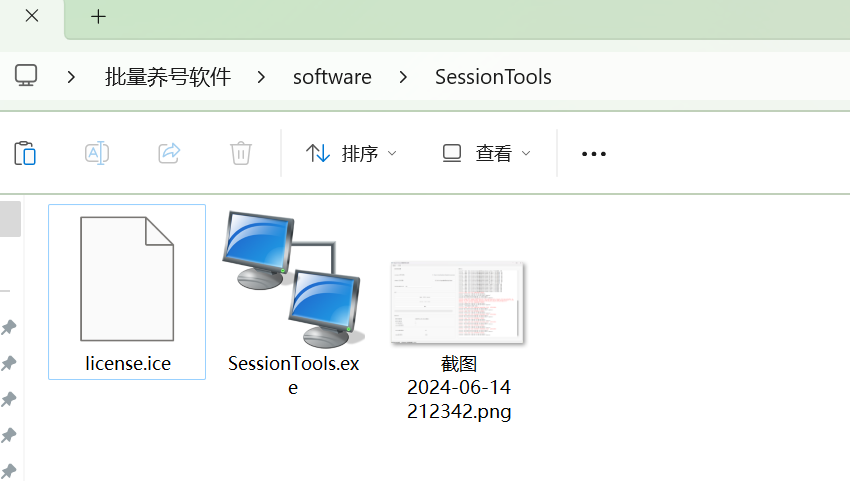
-
If missing file: license.ice, please contact software administrator to get authorization file, license.ice needs to be in the same directory as SessionTools.exe
-
When software files are missing or in wrong location, or authorization expired, there will be prompts
Example image: 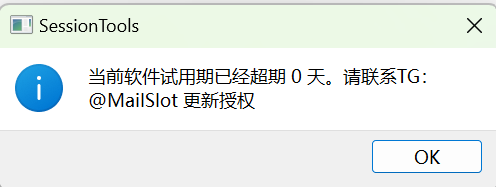
- Open software: "SessionTools.exe", correctly authorized working interface shown below, software will show your remaining authorization time in bottom left
Example image: 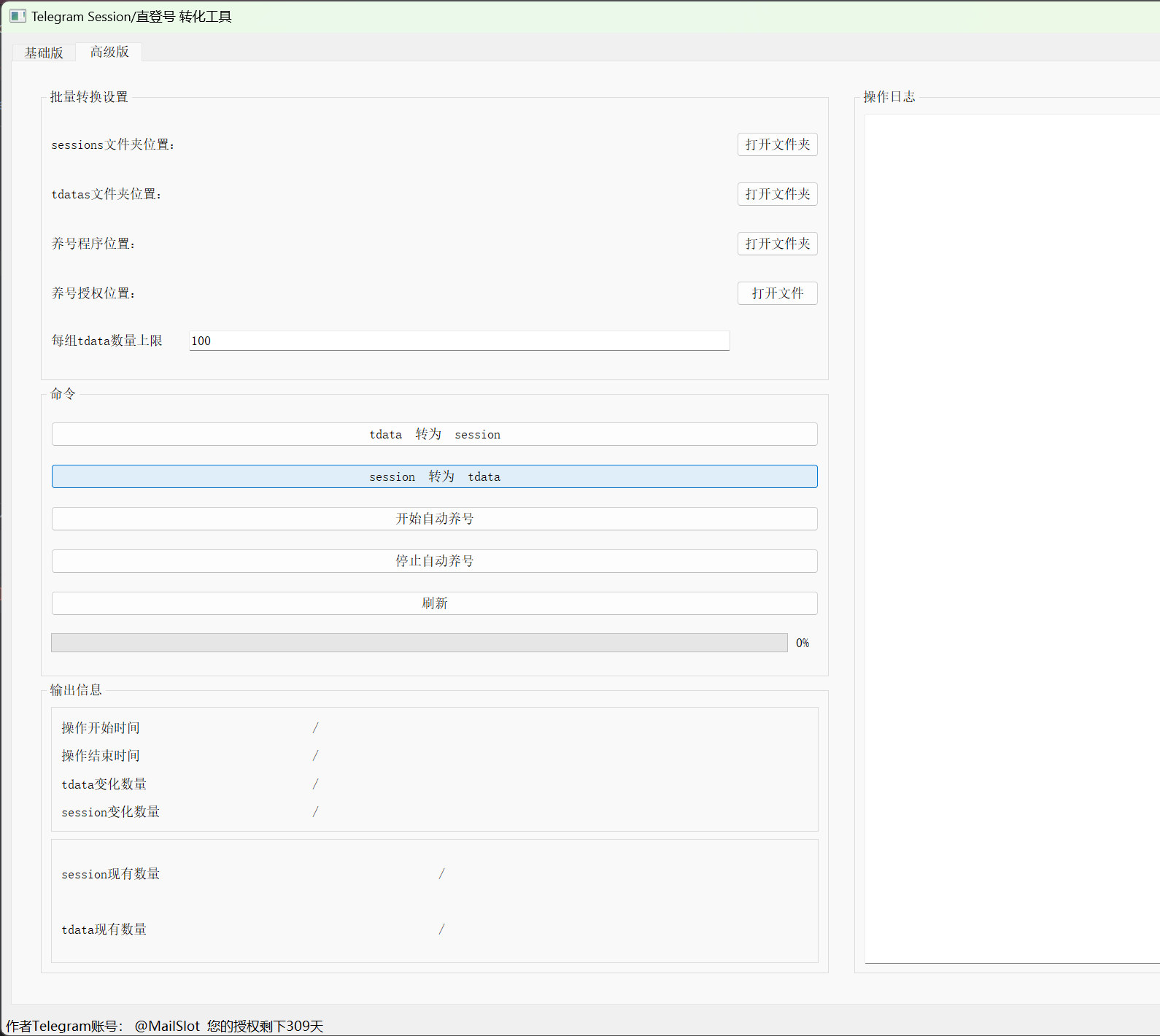
Setting Working Directory
Session Working Directory
- Create new folder, path should not contain Chinese characters or special characters, for example: D://sessions/, put session files that need batch processing into this folder
Example image: 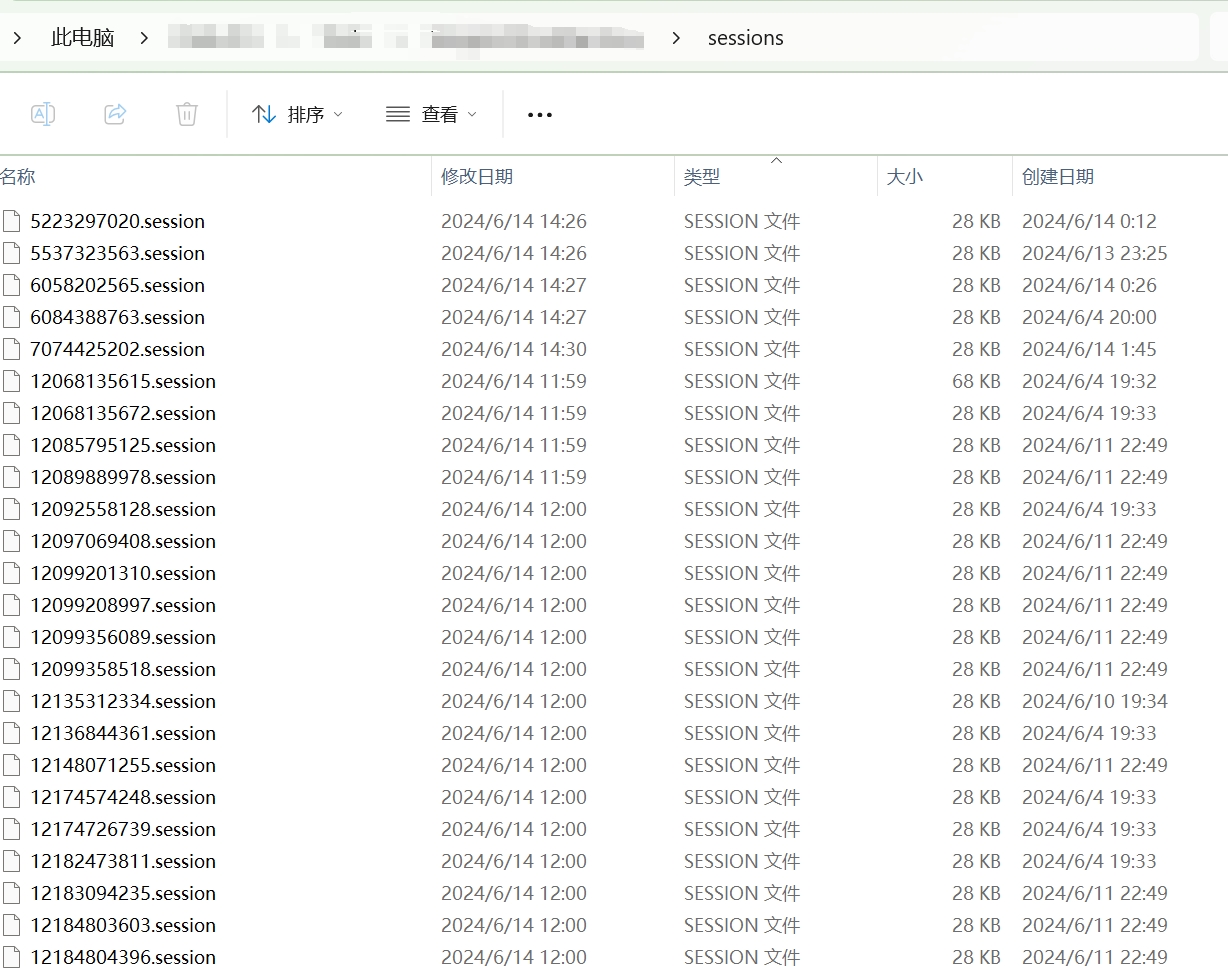
- In software, set sessions folder location
Example image:

Direct Login Working Directory
-
Create new folder, path should not contain Chinese characters or special characters, for example: D://tdatas/
-
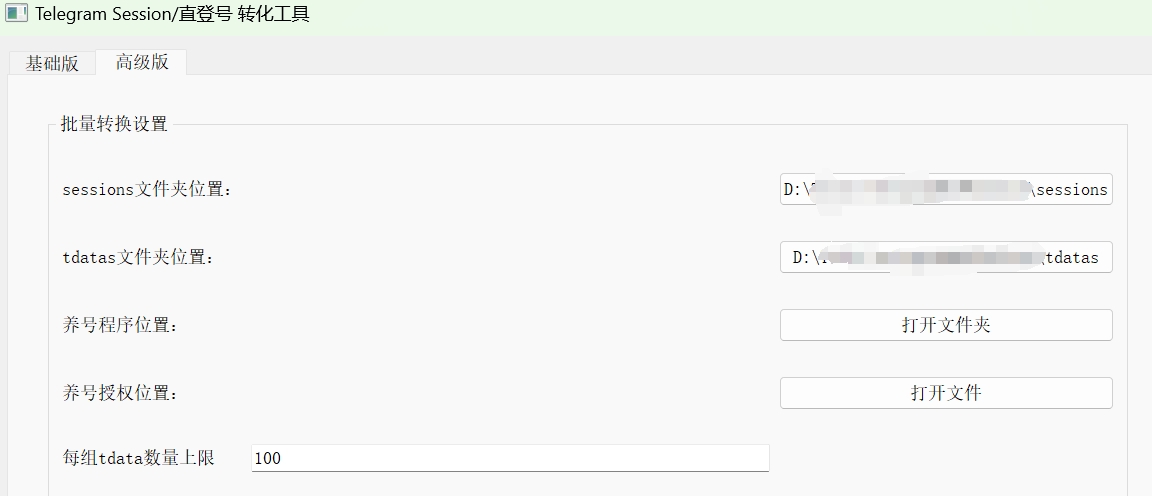
In software, set tdatas folder location Example image:
-
Because direct login account numbers cannot be predicted, maintenance software needs to group by accounts and switch dynamic proxies, and consider online account numbers' impact on hardware performance and dead accounts. Software provides automatic tdata grouping function. For example with 100k direct login accounts, setting 100 accounts per group will generate 1000 tdata groups, each group having 100 direct login accounts
Example image: 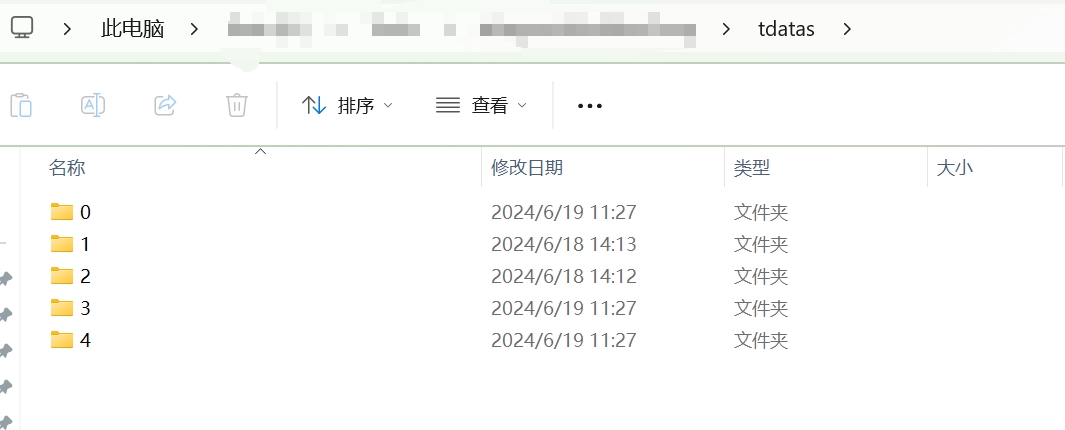
Example image: 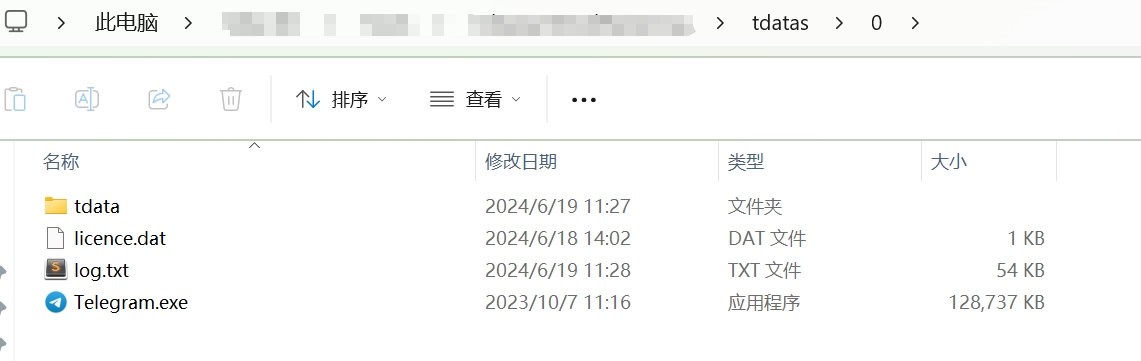
Example image: 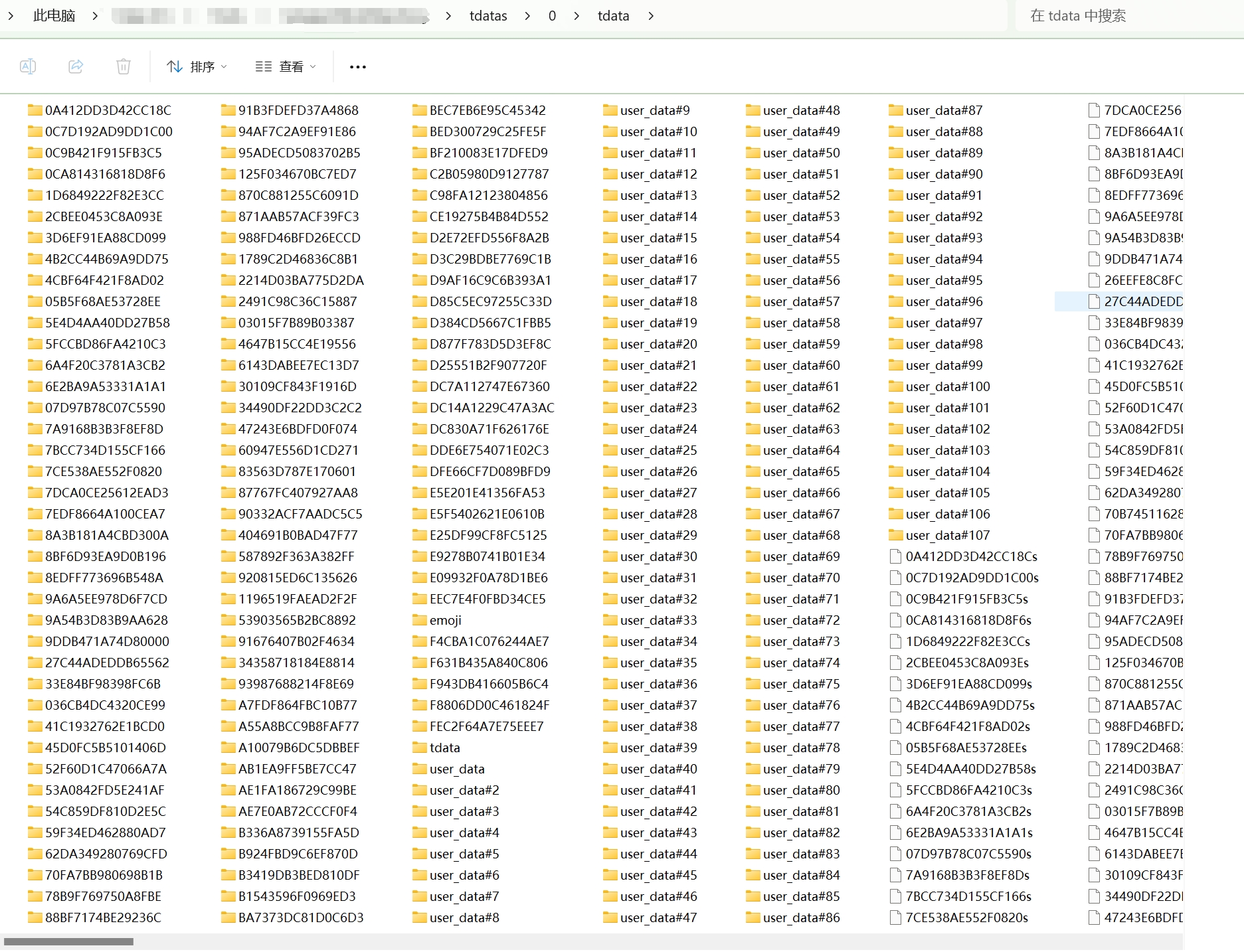
- If you need to manually control tdata grouping when converting direct login accounts to session, you can manually create a group number folder, for example create a folder: D://tdatas/0/, put direct login account files in the group number folder, then press the article section: Batch Direct Login Accounts to Session, to operate
Batch Session to Direct Login
-
In the software, click the "session 转为 tdata" button, this operation will read all session files in the sessions folder, after screening and detecting, add them to the tdatas folder
-
Note: In all tdata groups, existing accounts will not be added repeatedly, based on user_id
-
Note, software automatically executes tdata grouping management, when all tdata groups' quantity reaches the limit (each tdata quantity limit), software will create a new group number folder, store tdata data. When a dead account appears in the tdata group, the group will be filled with new tdata data the next time it is converted
Example image:
Batch Direct Login Accounts to Session
-
In the software, click the "tdata 转为 session" button, this operation will read all tdata group folders in the tdatas folder, after screening and detecting, add them to the sessions folder
-
Note: In the sessions folder, existing accounts will not be added repeatedly, based on phone_number
Example image:
Using the Account Maintenance Software
-
In the above section, through the function "Batch Session to Direct Login", many tdata groups have been obtained, the maintenance software will automatically work in these groups, automatically select some tdata groups for online activation and maintenance
-
The maintenance software requires authorization to use. If you're missing the authorization file: license.dat, please contact the administrator
1. Getting and Binding Software Authorization
-
This step is to obtain the hardware code of the customer's machine and bind the software authorization with the hardware code of the customer's machine. The hardware code will be calculated based on the following hardware: cpu, memory, disk, network card, etc.
-
After the software authorization is bound, the above hardware cannot be changed, for example: replacing the machine, replacing the disk, adding or reducing the network card, etc., otherwise the software authorization will fail.
-
This step is only processed for the first installation of the customer's machine or when the authorization expires, normal use does not need to be repeated
1.1 Getting Customer Machine Hardware Code
- On the customer's machine, open the "Get_ID" folder, find the file: Get_ID.exe
Example image: 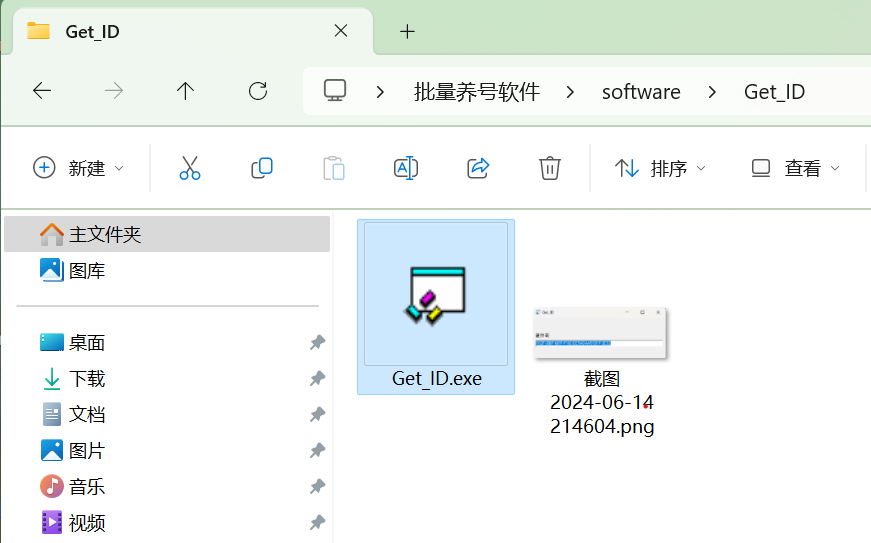
- Open Get_ID.exe, the display will show the hardware code of the current machine, for example: 102F-30BF-687F-F16C-EE54-DAA5-581F-2E32
Example image: 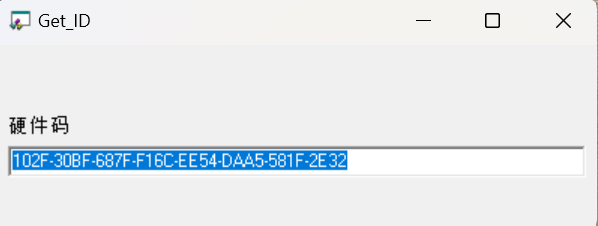
- Copy the 39-digit hardware code displayed by the software, send it to the administrator for authorization
1.2 Getting Software Authorization
-
Copy the hardware code obtained in step "1.1 Getting Customer Machine Hardware Code", send it to the administrator for authorization
-
The administrator will provide authorization files based on the software version, duration, and necessary information: licence.dat
-
The authorization file is placed on the customer's machine, the file content cannot be modified
1.3 Binding Software Authorization
- Find the maintenance software file and the corresponding authorization file
Example image: 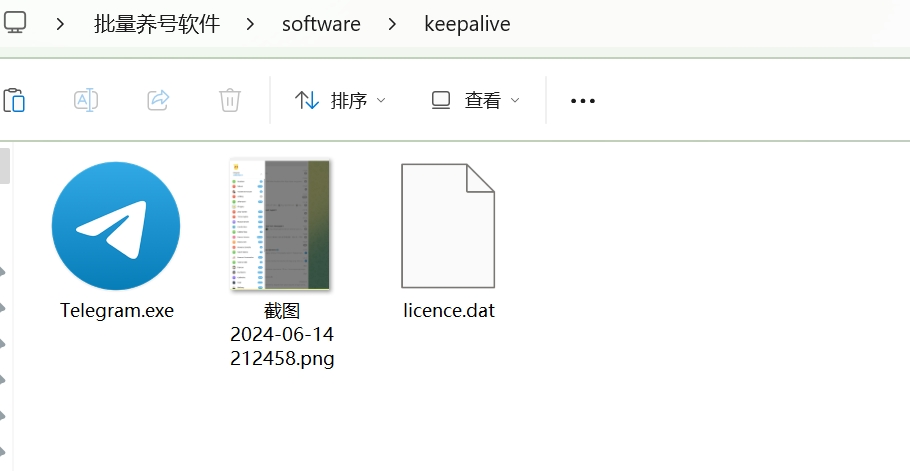
- Set the maintenance software file location and authorization file location in the session/direct login tool
Example image: 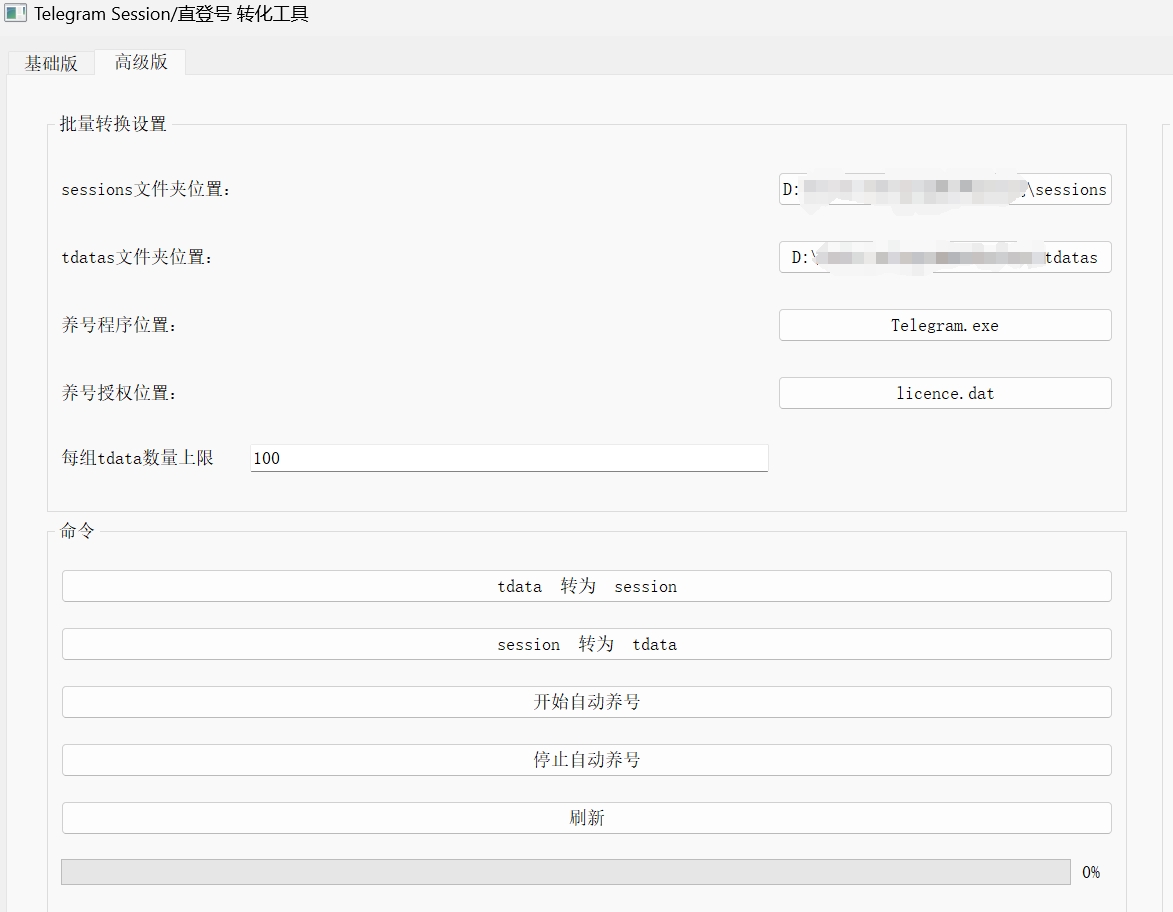
- When the first successful authorization binding occurs, the maintenance software will prompt you that the authorization is valid and has been successfully registered. Click "OK" to confirm. This prompt will only appear when the first authorization is successful
1.4 Automatic Account Maintenance
-
After the above steps are completed, click "Start Automatic Account Maintenance" in the session/direct login tool, the software will enter the automatic account maintenance state
-
If you need to stop automatic account maintenance, click "Stop Automatic Account Maintenance"
-
Automatic account maintenance cannot be performed in the following scenarios. For example: Batch Session to Direct Login, Batch Direct Login Accounts to Session
-
We recommend you use Proxifier proxy software and dynamic proxy ip pool to prevent too many online accounts under a single ip, causing batch account bans
Example image: 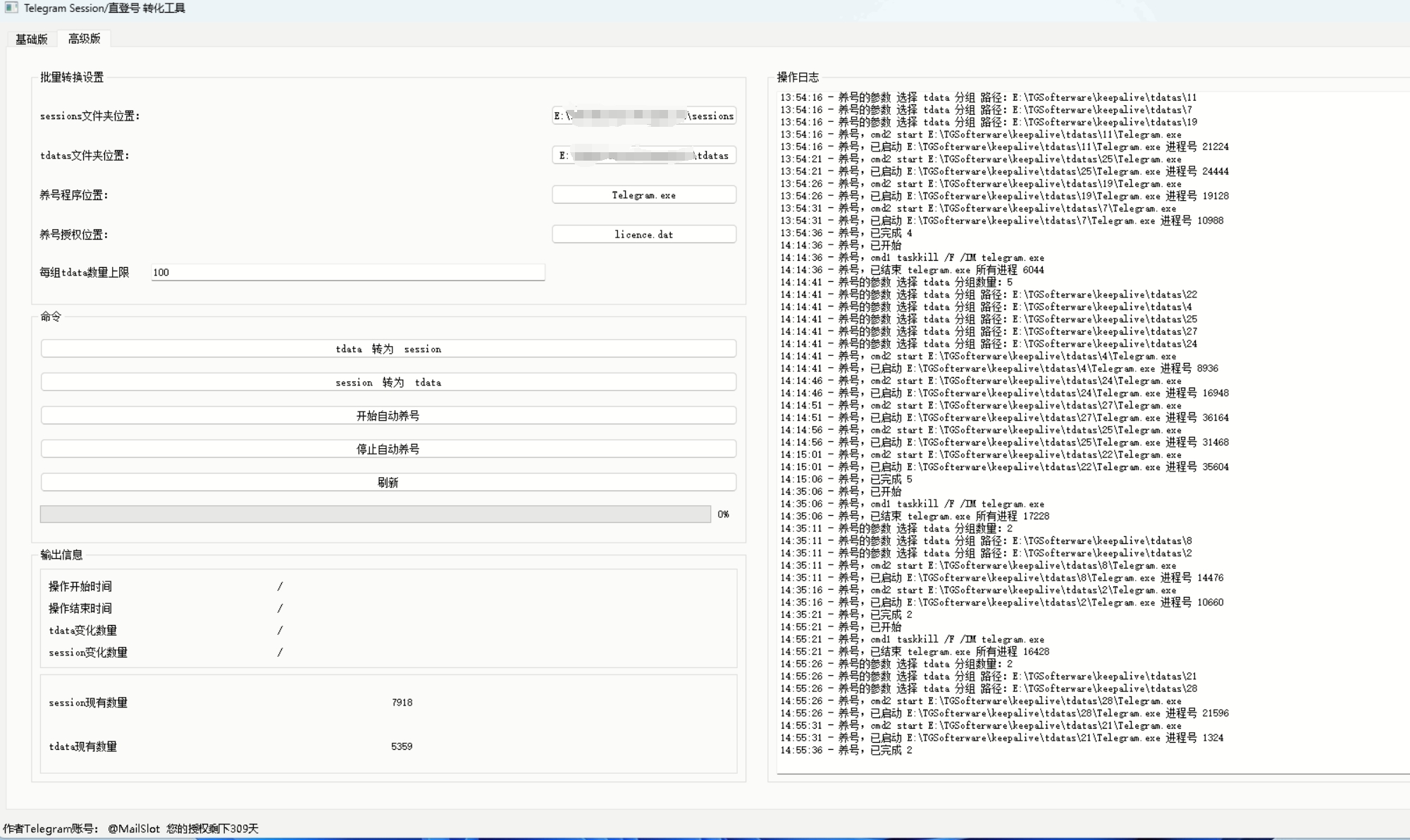
Example image: 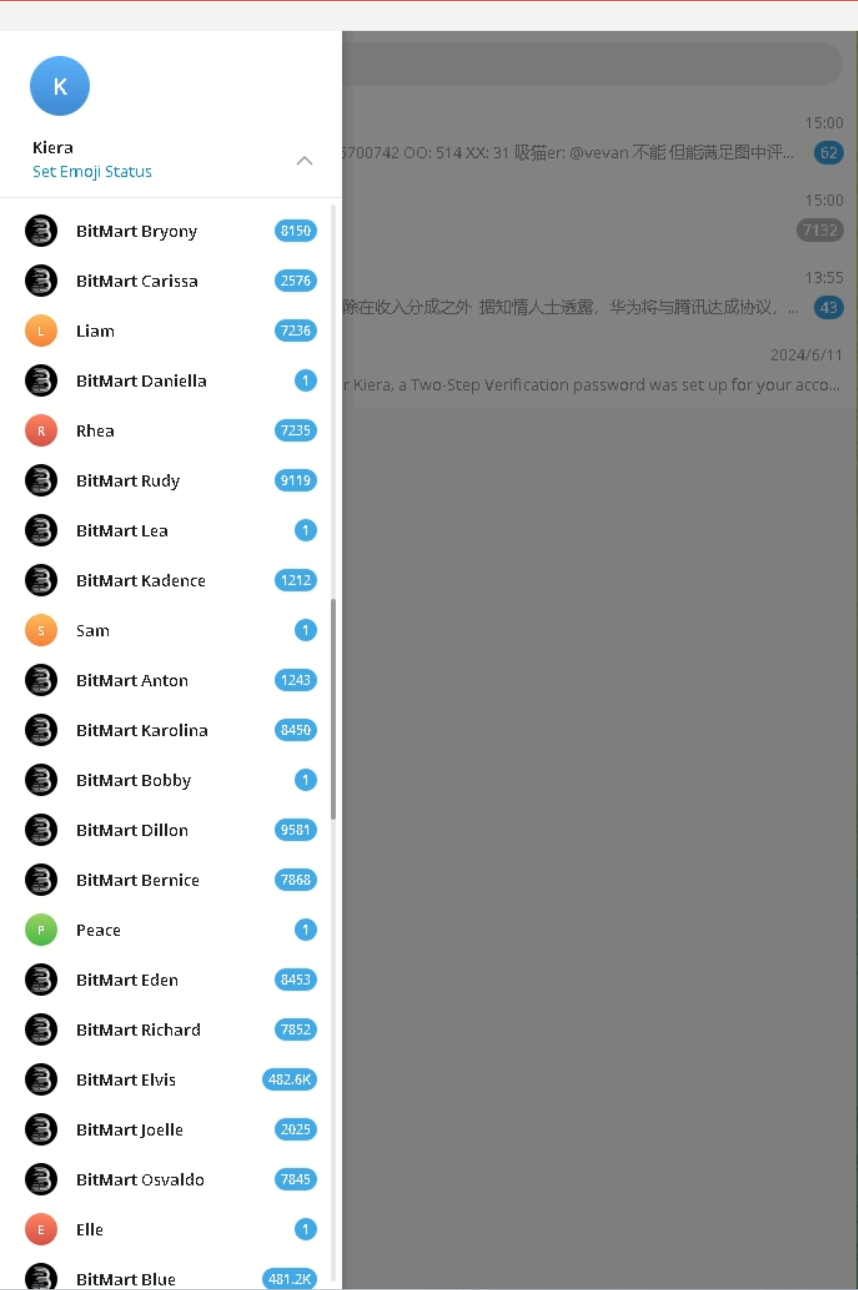
Technical Support
Telegram: https://t.me/MrMiHa